The estimate and invoice app for independent repair shops and mobile mechanics. Scan the VIN, add labor and parts, and send your customer a branded PDF — from the bay, the lot, or the driveway.
Be the first to know when it launches.
You're on the list. We'll reach out when AutoEstimate launches.
70+
Common Repairs
VIN.
Scan & Decode
US+CA
Taxes Built In
0$
To Start
See it in action
From check-in to paid invoice.
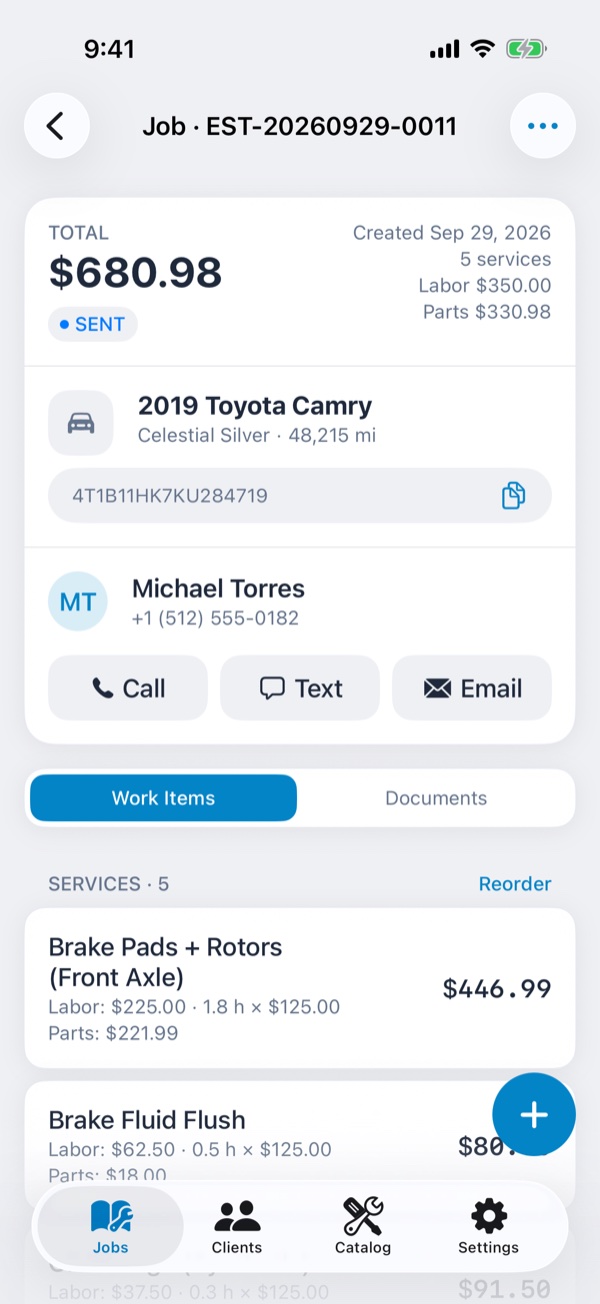
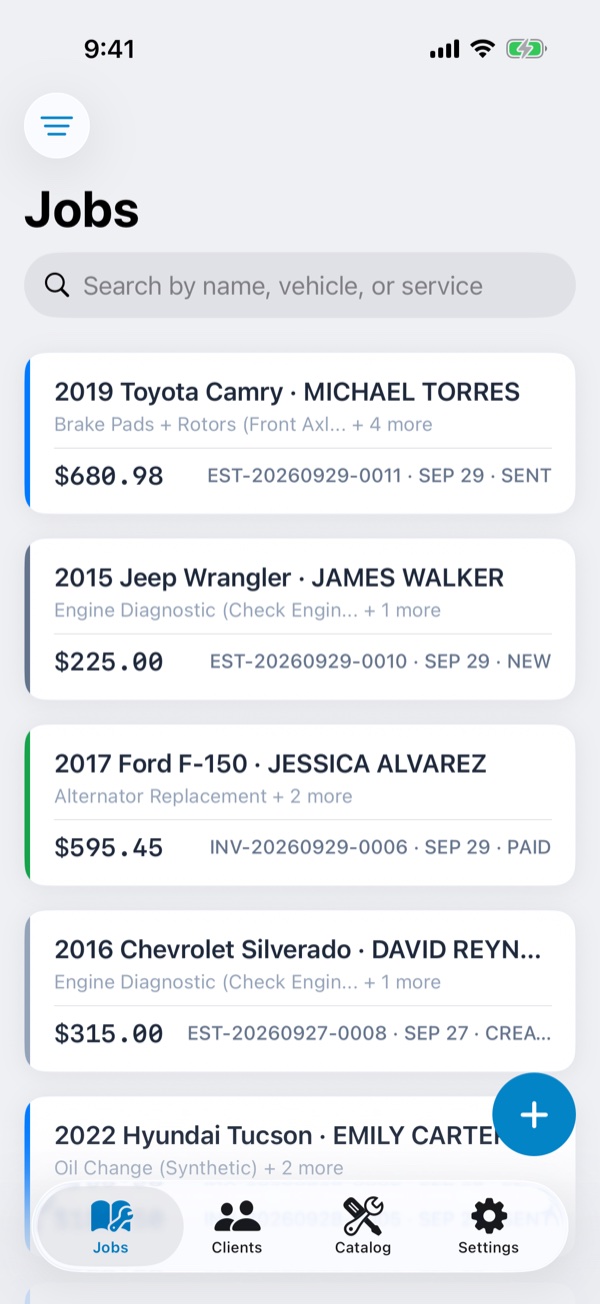
One job holds the customer, the vehicle, and the work. Estimates and invoices come out of it with a tap.
Scan the VIN
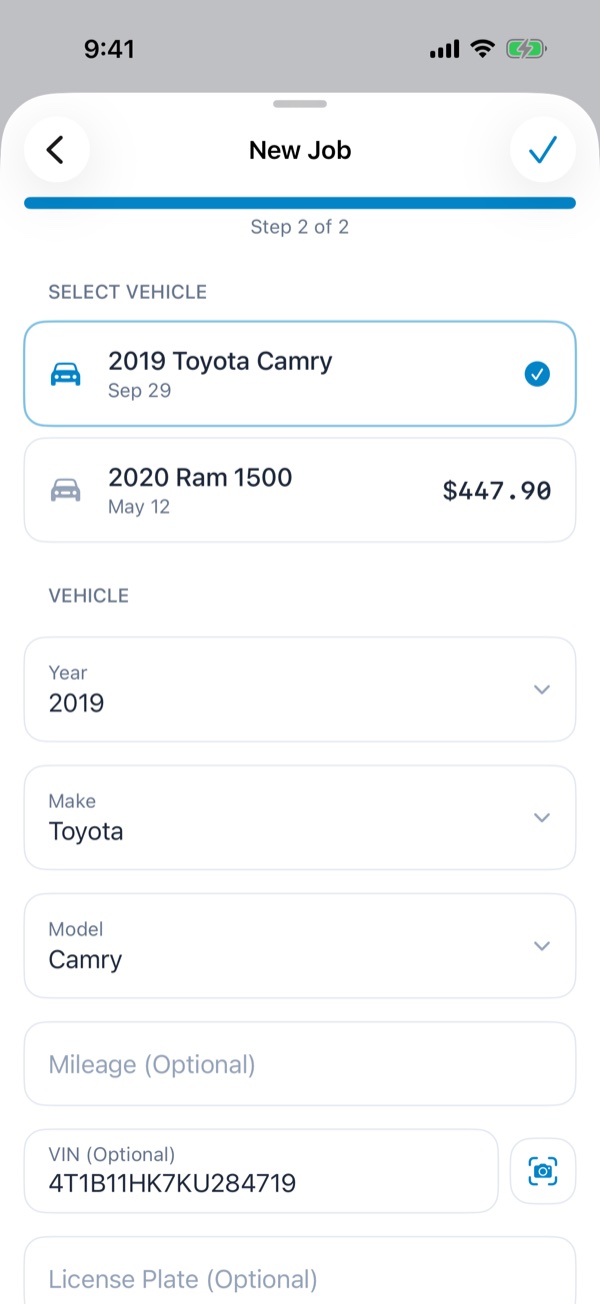
Scan the door-jamb barcode or type the VIN. Year, make, and model fill in by themselves.
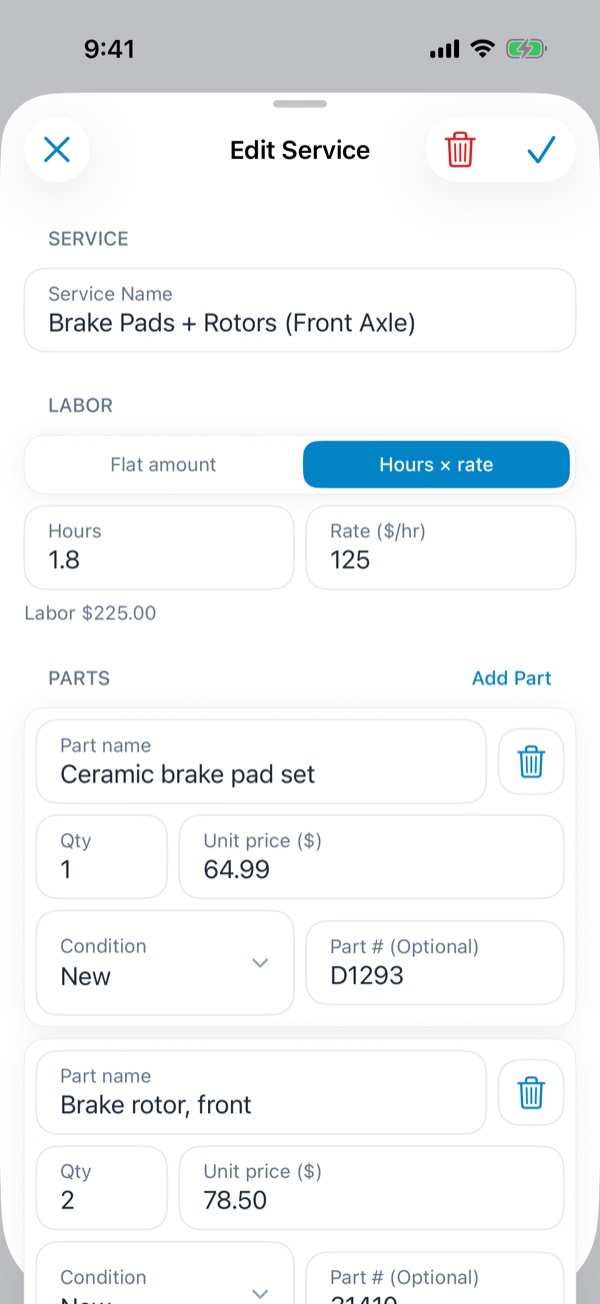
Price labor & parts
Hours × your shop rate, itemized parts with part numbers, supplies, fees, and discounts.
Send the estimate
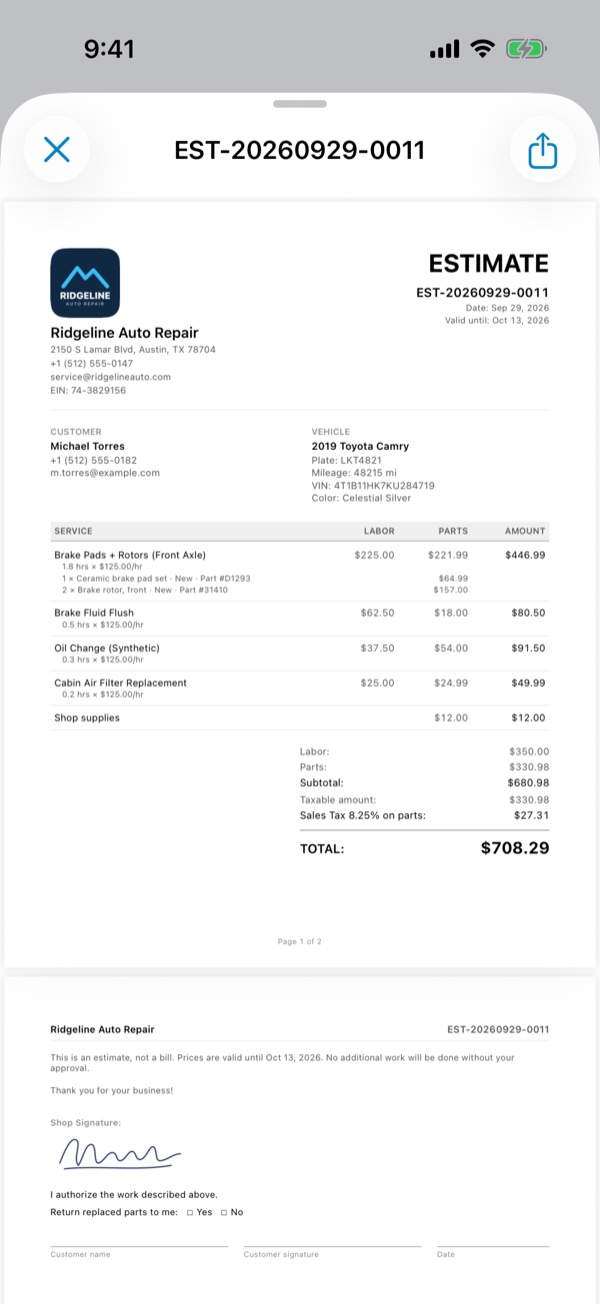
A branded PDF with your logo and taxes, shared by Messages, Mail, WhatsApp, or AirDrop.
Get paid
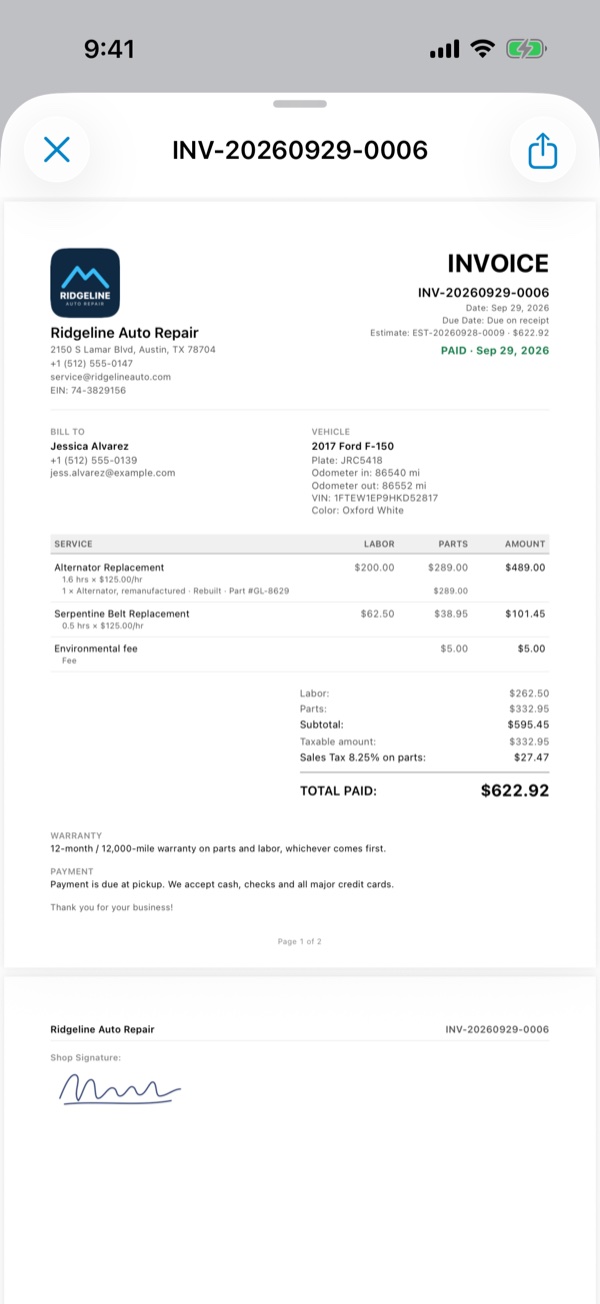
Turn the job into an invoice when the work is done, then mark it paid.
What it does
Everything a mechanic actually needs.
No desktop shop software. No per-seat fees. No paper tickets. Just the tool that gets your customer a professional estimate fast.
Scan the VIN
Read the door-jamb barcode or the printed VIN. AutoEstimate checks the check digit, decodes year, make, and model, and saves the vehicle with plate and odometer.
70+ Common Repairs
Brakes, oil and fluids, engine, suspension, AC, diagnostics and more, in 10 categories. Save your prices once — they fill in on the next job.
Priced Like a Mechanic
Labor as hours × your shop rate or a flat price. Itemized parts with part numbers, quantities, and condition. Shop supplies, fees, sublet work, and discounts on their own lines.
Taxes for Your State or Province
Sales tax in the US; GST, HST, PST, or QST in Canada. Each tax applies to parts, labor, or both, and totals are rounded to the cent.
Estimates & Invoices
Quote the job, then invoice it when the work is done. Every document is a frozen copy with its own number — what you sent stays exactly what you sent. Paid invoices get a PAID stamp.
Documents That Look the Part
Your logo, shop details, registration numbers, and signature on every page. Three PDF styles, in English or French. Sent as an attachment — never a public link.
Customers & Vehicles
Every customer with their vehicles and past visits one tap away. Call, text, or email them right from the job.
Ready for Tax Time
Export your invoices to CSV for your accountant — by quarter, year, or any date range, with a separate column for each tax and the PDFs alongside.
Your Data Stays Yours
No account, no sign-up. Backed up and synced through your private iCloud. Deleted jobs and customers can be restored for 30 days.
How it works
Three steps. About 60 seconds.
STEP 01
Check the car in
Pick a returning customer or add a new one, then scan the VIN or choose the year, make, and model.
STEP 02
Add the work
Pick repairs from the catalog or add your own. Set labor hours and parts prices — taxes are calculated for you.
STEP 03
Send the PDF
Create the estimate and share it by Messages, Mail, or WhatsApp. When the work is done, invoice the same job.
Pricing
Start free. Upgrade when you're ready.
Every feature is included from day one — the free plan only limits how many jobs you can create. No credit card to start, cancel Pro anytime in your App Store settings.